01 / MONITORING
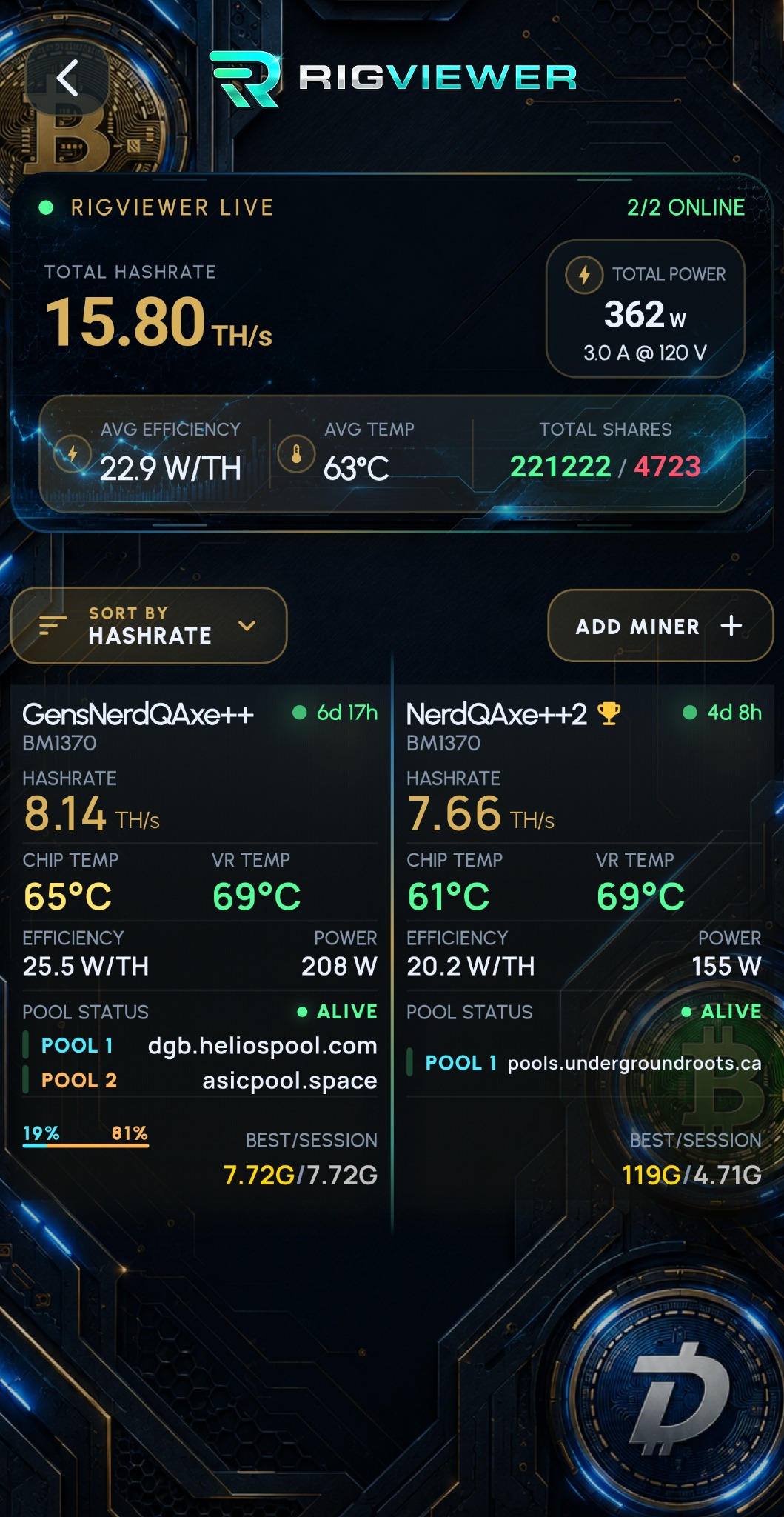
Live monitoring
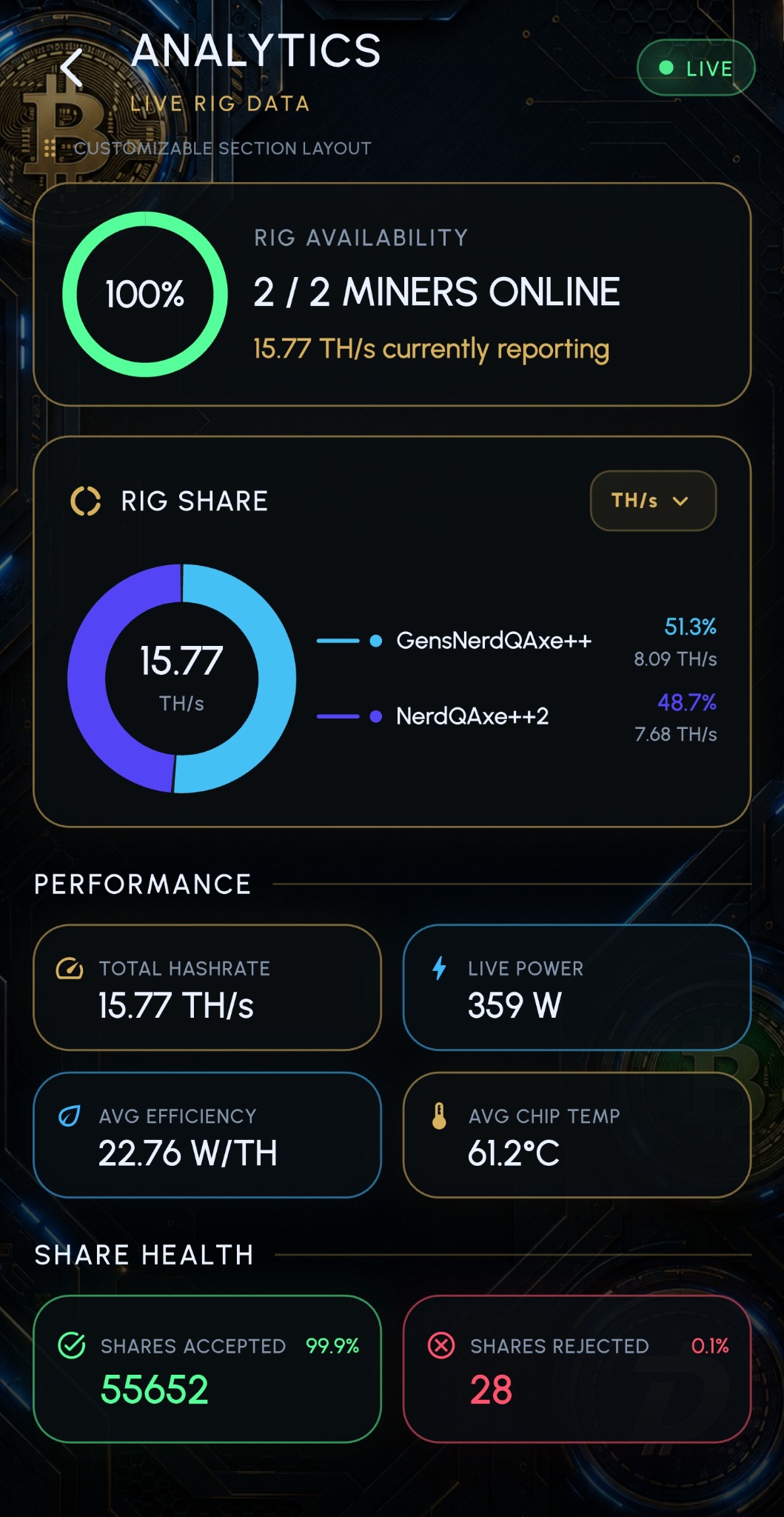
Hashrate, power, temperatures and live share activity. Individual miners and rig totals in one view.
View the dashboard
Know your rig. Catch the moments that matter.
Monitoring, pools and control — together in one app.

Available for iOS & Android · Start free with up to 3 miners
APP FEATURES
View miner data, manage compatible devices
and receive mining notifications.
Hashrate, power, temperatures and live share activity. Individual miners and rig totals in one view.
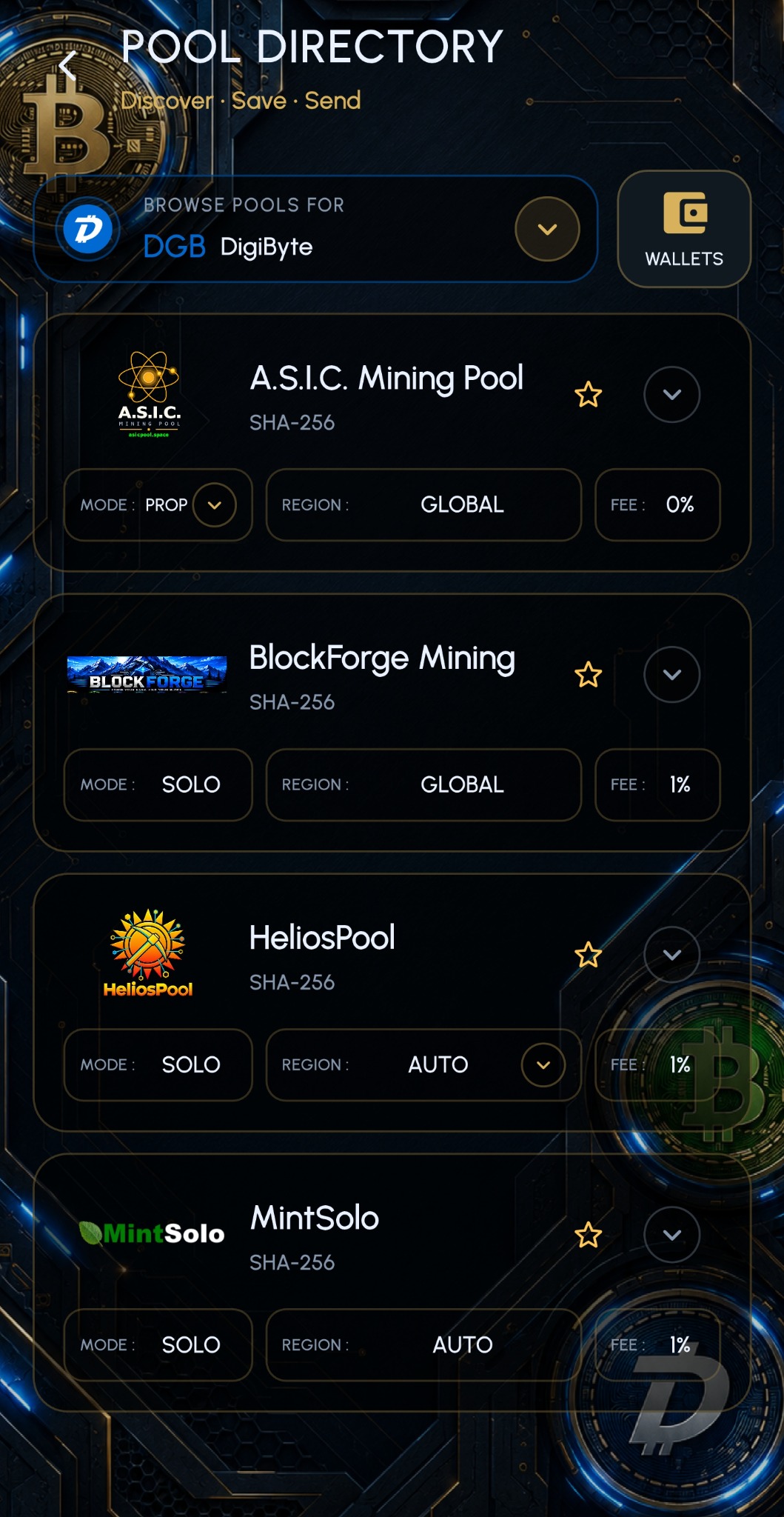
View the dashboardBrowse the pools included in the app, save favorites and send pool settings directly to compatible miners.
Explore Pool DirectoryConfigure alerts for your miners and receive Block Found and New Best Diff notifications.
View estimated solo mining odds for each miner and for the combined hashrate mining the same coin. Estimates do not guarantee a block.
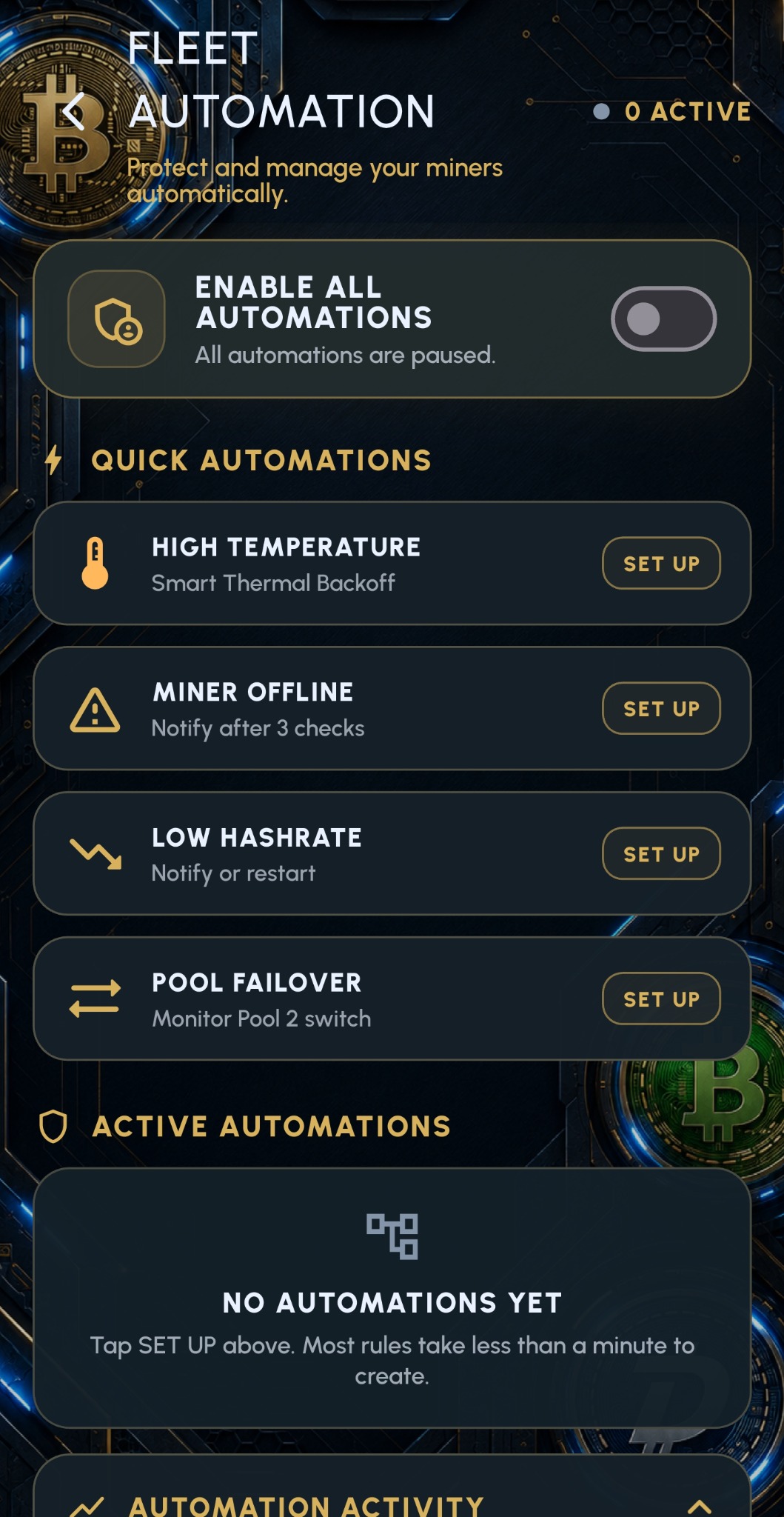
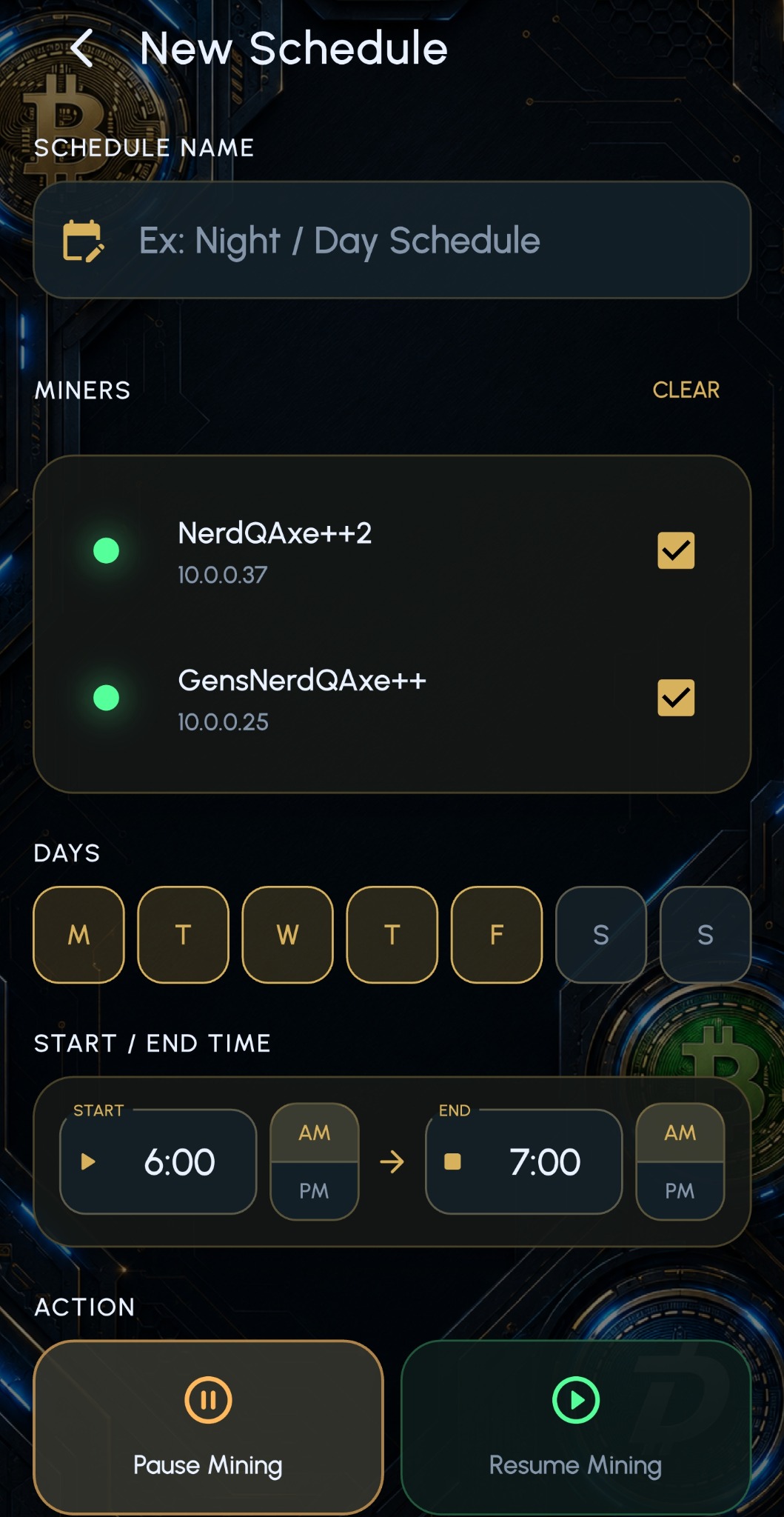
SOLO ODDS · MINER + RIGAdjust tuning and fan settings on compatible miners, and schedule supported actions.
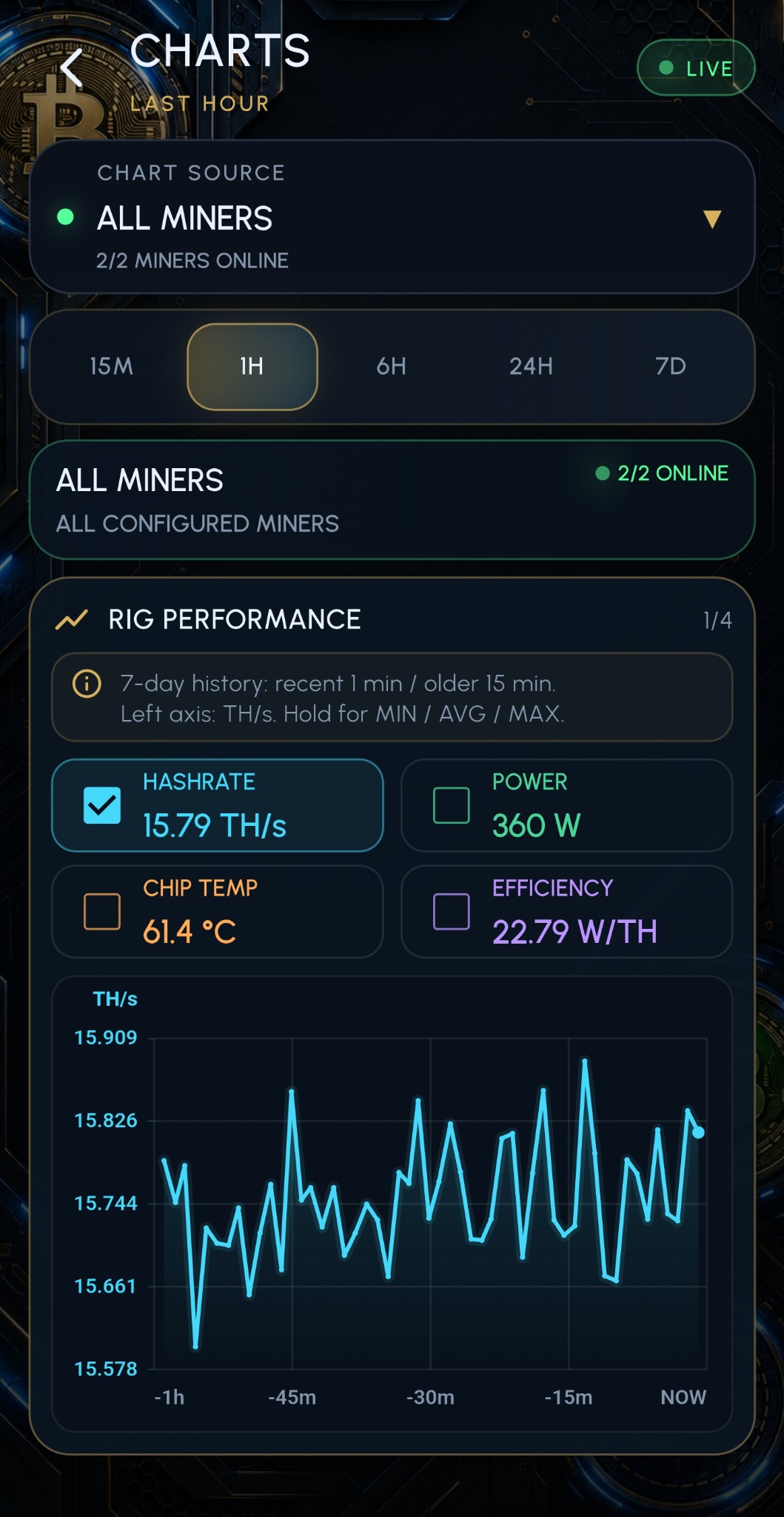
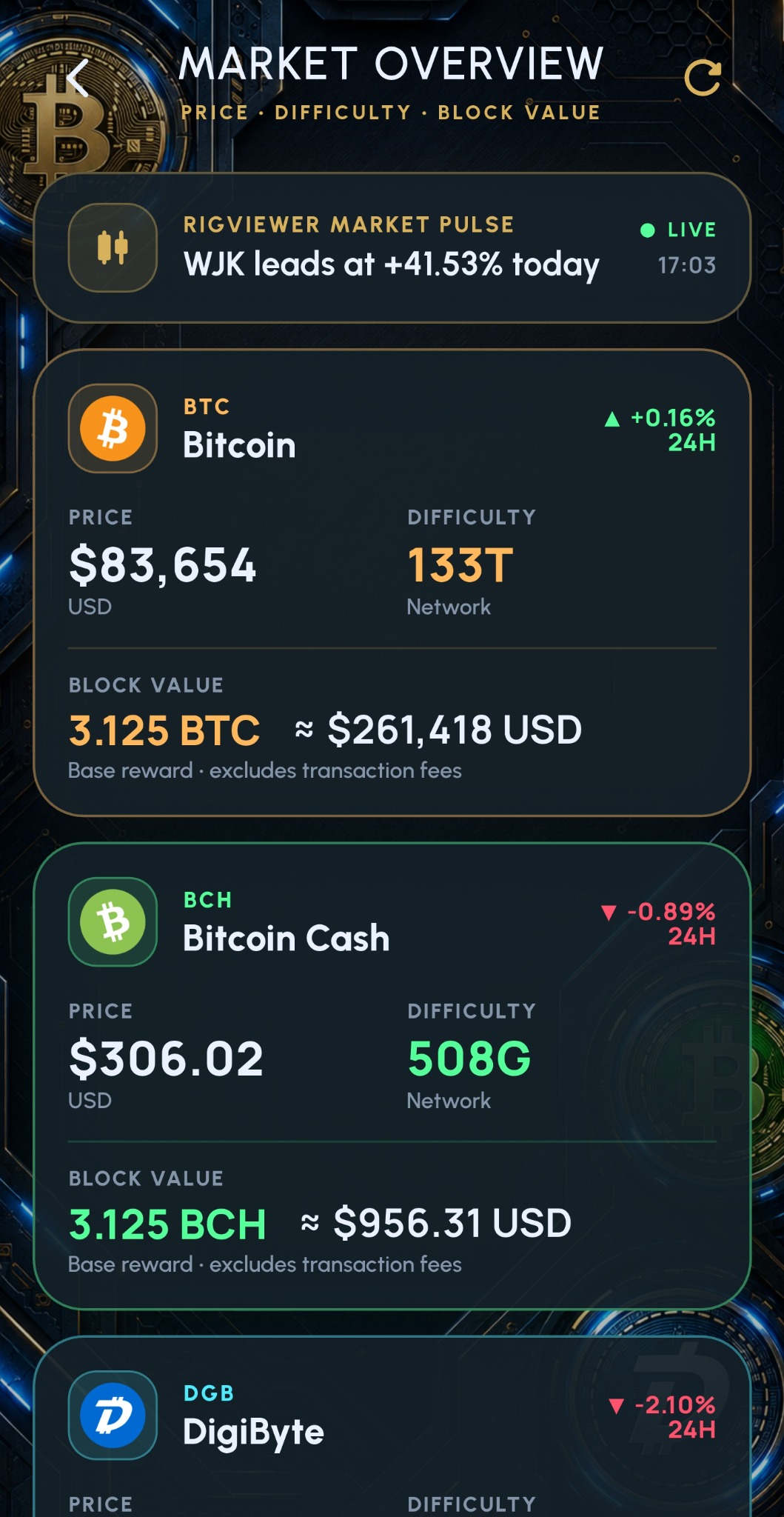
See automationTrack performance over time with charts and analytics. Display selected miner readings in home screen widgets.
See the chartsFeatures and controls vary by platform, miner and firmware. The iOS Monitor widget requires iOS 17 or later.
FULL-SCREEN MONITORING
Use your screen as a dedicated mining monitor. The full-screen landscape view displays rig totals, individual miner readings and live share activity.
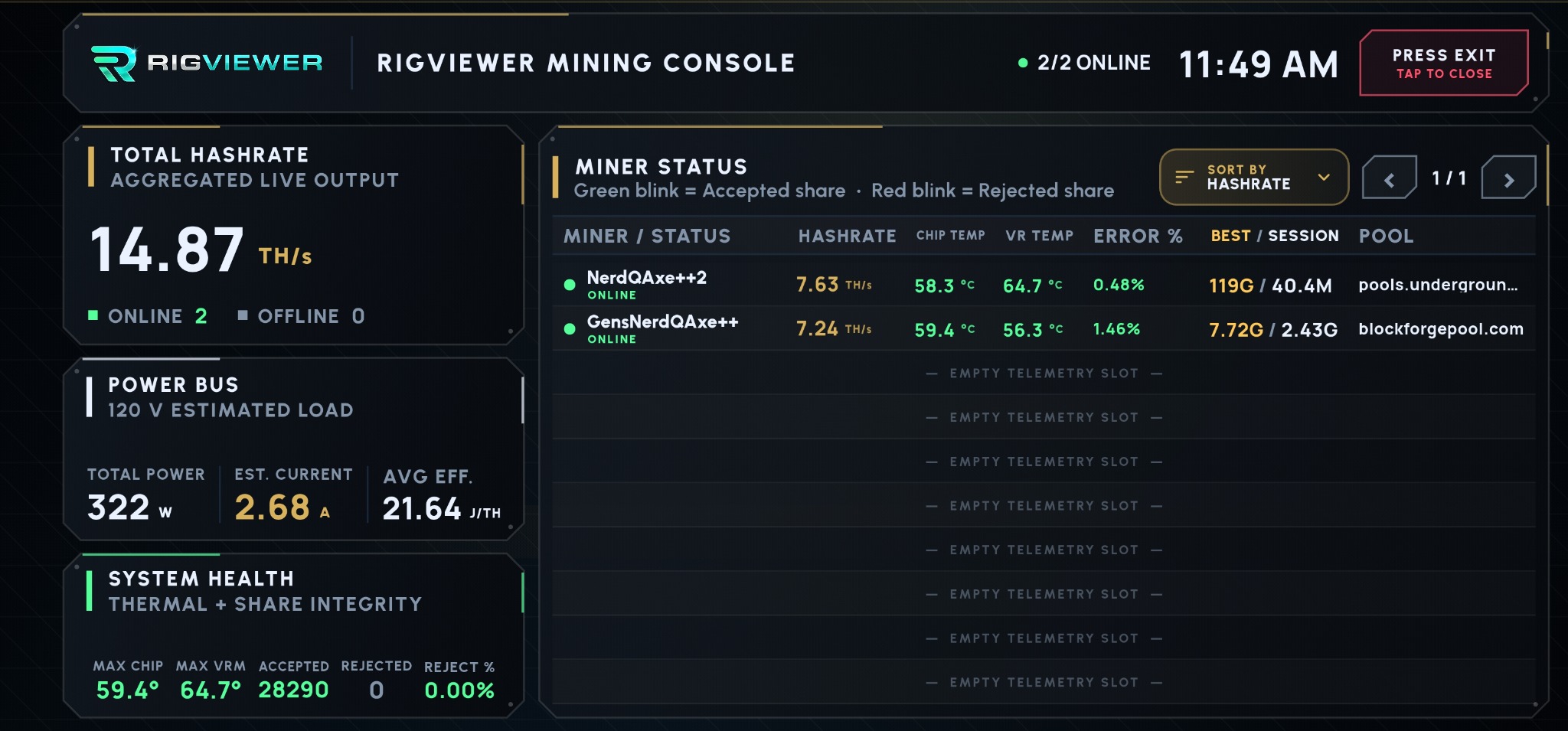
View total hashrate, online status, power consumption and average efficiency.
Compare hashrate, temperatures, error rates, best difficulty and session difficulty for individual miners.
Accepted shares flash green and rejected shares flash red as they are reported by the miner.
POOL DIRECTORY
These pools are included in RigViewer’s Pool Directory.
Browse their available coins, regions and connection settings.



A special thank you to the pools taking part in RigViewer.
Run a pool? Let's connectCOMPATIBILITY
Available readings and controls depend
on the miner model and firmware.









Also supports ZyberOS and additional compatible firmware variants.
Compatibility depends on model, firmware and available APIs. Ask about your miner ↗
HELP & CONTACT
Connect your phone to your miners' network and add your compatible devices in RigViewer. Remote access requires a configured connection to that network.
No. Your mining hardware does the mining. RigViewer gives you monitoring and supported controls from your phone.